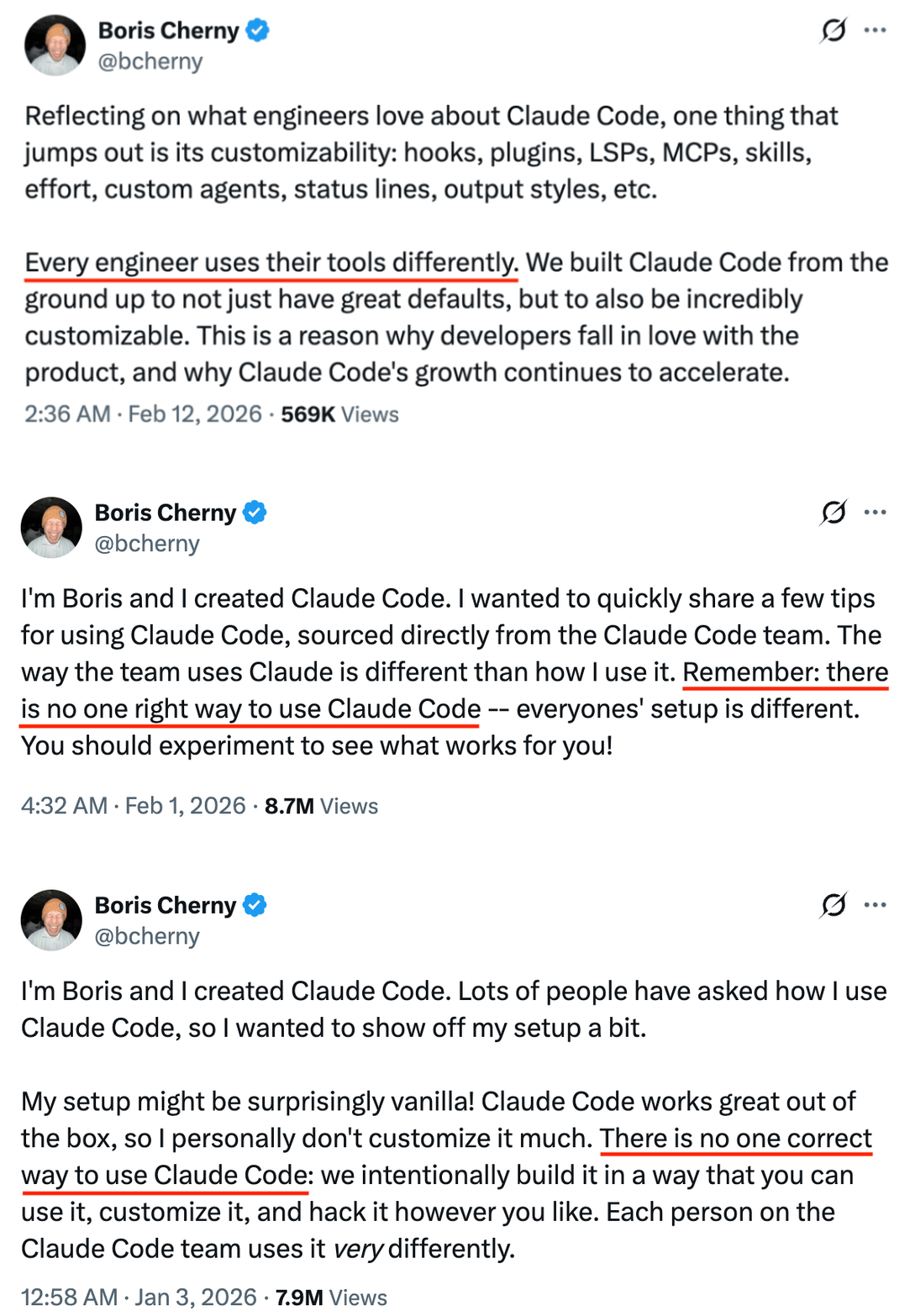
How "I"Use Claude Code Effectively
Every developer should build their own opinionated workflow.
Using Claude Code Effectively
A great introduction to Claude Code features and best practices.
Control & Transparency
Three pillars that separate CLI agents from IDE plugins.
| IDE Agents (Copilot / Cursor) | CLI Agents (Claude Code / OpenCode) | |
|---|---|---|
| Context | IDE decides what to send (32k–128k tokens) | You control exactly what the agent knows (up to 1M tokens) |
| Tools | Limited to editor actions, GitHub ecosystem | Full system access: git, shell, 300+ MCP integrations |
| Cost | $10–50/seat/month, usage caps | Pay per token (API) or $20–200/month, no caps |
Context Engineering
The #1 skill in working with any coding agent is engineering the right context.
Always loaded
Injected into every session automatically. Costs tokens whether relevant or not.
On-demand
Capabilities the agent reaches for at runtime — extending what it can know and do.
Your Project's Memory
Instructions the agent reads at the start of every session. Keep it stable, keep it small.
Stable, rarely-changing context:
- TypeScript strict mode
- Prefer composition over inheritance
# Project Layout
- Monorepo: apps/ and packages/
- API routes in src/api/
# Architecture
- Event-driven microservices
- PostgreSQL + Redis
/init — think twiceThe init command dumps details the agent can already find in your code:
These bloat your context and go stale fast.
The Agent's Persistent Memory
Files and instructions loaded into every session automatically.
| Tool | Config File |
|---|---|
| Claude Code | CLAUDE.md |
| Gemini CLI | GEMINI.md |
| Codex CLI | AGENTS.md |
| Cursor | .cursorrules |
Rules, Commands & Agents
Organize context by when and how it's needed.
.claude/rules/
Path-specific instructions loaded only when matching files are accessed.
Always validate request body
Return proper HTTP status codes
.claude/commands/
Reusable prompts invoked with /command-name.
Run tests, build, and deploy
to staging environment
.claude/agents/
Specialized role definitions for different tasks.
You are a code reviewer.
Focus on security issues.
Docs & Diagrams as Context
The better your project is documented, the better the agent performs.
Architecture docs System design, data flow, service boundaries |
API specs OpenAPI/Swagger, GraphQL schemas |
Design docs Specs, RFCs, decision records in docs/ |
Diagrams draw.io, mermaid → referenced in CLAUDE.md |
See docs/architecture.md for
system design overview.
# API
See docs/api-spec.yaml for
endpoint definitions.
# Diagrams
See docs/diagrams/ for
data flow and service maps.
Connect to Everything
Model Context Protocol — an open standard letting agents call external tools at runtime.
npx @playwright/mcp@latest
$ claude mcp add --transport http \
context7 https://mcp.context7.com/mcp
# MCP is an open standard:
# Claude Code, OpenCode, and
# Gemini CLI all support it
Automate browsers Test UIs, fill forms, take screenshots |
Query databases PostgreSQL, MongoDB, Redis |
Fetch documentation Up-to-date library docs via Context7 |
Integrate services GitHub, Linear, Slack, Figma |
On-Demand Expertise
Folders of instructions, scripts, and resources — loaded only when relevant.
template.md # template to fill in
examples/
sample.md # expected format
scripts/
validate.sh # executable scripts
Metadata loads first (~100 tokens) to check relevance.
Full instructions load only when matched.
Code and references load as needed.
Progressive disclosure — minimal context cost.
Skills = workflow & process — how to approach a task
MCP = data & tools — what the agent can access
Curate, Don't Hoard
20-30 targeted skills beat hundreds of generic ones.
skill.md = summary/SOP
Short trigger + workflow
references/ = deep knowledge
Loaded only when needed
Progressive disclosure — don't front-load tokens
Use Skill to Create Skill
The skill-creator skill builds new skills for you — meta, but effective.
skill that runs tests, builds,
deploys to staging, then promotes
to production after smoke tests.
✓ Created: skills/deploy/
SKILL.md # workflow
checklist.md # env details
scripts/validate.sh # checks
TDD Skill
Enforces red → green → refactor cycle. Writes failing test first, always.
Code Review Skill
Structured checklist: security, performance, tests, style.
Deployment Skill
Runs checks, builds, deploys, verifies. Can't skip steps.
Protect Your Secrets
Coding agents can read sensitive files by default. Lock them down.
"permissions": {
"deny": [
"Read(.env*)",
"Read(*.pem)",
"Read(*.key)",
"Read(**/secrets/**)"
]
}
}
By default, agents can read .env files — API keys, passwords, and credentials may be sent to external servers.
✓ Add global deny rules in settings.json
✓ Use .claudeignore for project exclusions
✓ Never store unencrypted secrets on disk
✓ Use secrets managers instead
Control Agent Access
Settings permissions are interpreted by the LLM. Hooks are deterministic.
Deny: Bash(rm -rf *)
Deny: Read(.env*)
The LLM decides whether a command matches — it can rationalize exceptions, especially in long sessions.
# Runs BEFORE the action
# Exit 0 = allow, Exit 2 = block
$ /hookify Block rm -rf with
home paths
Regex/code checks at shell level. No LLM involved. Binary pass/fail — can't be convinced otherwise.
Think Before You Build
Lightweight and covers ~70% of daily use cases.
Enter
Shift+Tab
Explore
Read-only mode
Plan
Generate approach
Implement
Exit plan mode
Edit the plan in your editor before implementing
Save plans to plans/ in your repo
For multi-file features, break into sequential plan files
Plan lives only in the conversation — no structured spec, no review loop, no checkpoints.
For complex features, you need more rigour than plan mode provides.
Superpowers: Structured Delegation
Skills don't just add knowledge — they add discipline.
Brainstorm
Explore requirements, design spec
Write Plan
Break into phases → spec reviewed → approved
Phase 1
sub-agent A
Phase 2
sub-agent B
Phase 3
sub-agent C
Review
Automated quality gates per task + final review
Can't skip brainstorming. Spec gets reviewed before execution. Sub-agents work on plan tasks in parallel.
github.com/obra/superpowers
Putting It All Together
A real workflow from idea to shipped code.
/clear, new sessions, subagents for heavy readsWhen One Session Isn't Enough
Coordinate multiple agents working together with shared tasks and messaging.
| Subagents | Agent Teams | |
|---|---|---|
| Context | Own window, results return to caller | Own window, fully independent |
| Communication | Report back to main agent only | Teammates message each other directly |
| Coordination | Main agent manages all work | Shared task list, self-coordination |
| Best for | Focused tasks, only result matters | Complex work needing collaboration |
| Token cost | Lower (summarized results) | Higher (separate instances) |
How to Set Up a Team
Describe the task, Claude creates the team.
the auth module. Spawn three
teammates:
- One for backend logic
- One for tests
- One for API docs
✓ Team created: auth-refactor
3 teammates spawned
Shift+Down to cycle teammates
3–5 teammates for most workflows
5–6 tasks per teammate
Avoid file conflicts — each teammate owns different files
Require plan approval for risky tasks
Display: in-process (Shift+Down) or split panes (tmux/iTerm2)
The Delegation Spectrum
Choose the right level for the task.
Manual
You write code
Autocomplete
AI suggests lines
Chat
AI edits on request
Single Agent
AI builds features
Subagents
AI delegates tasks
Agent Teams
AI collaborates
Quick Reference
The key rule for each topic.
Your Progression Path
Build your skills progressively.
CLAUDE.md · Use plan mode for your first task · Set up security deny rules/clear between tasks · Add verification to prompts